vCluster in Docker
OPEN SOURCE

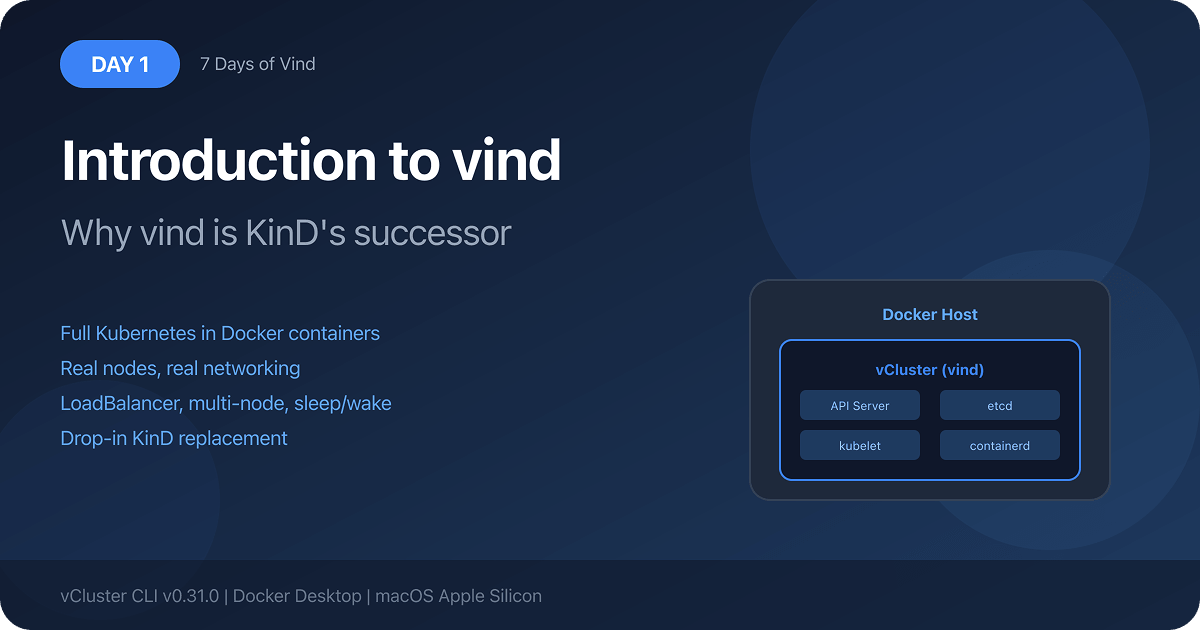
Replace KinD with vīnd

Real Kubernetes in Docker. Load balancers out of the box, Platform UI, pull-through image cache, external cloud nodes, pause & resume. Everything KinD doesn’t have.

  • Load balancers out of the box
  • Add external cloud nodes
  • Sleep & wake up in seconds
  • Platform UI included free
  • Pull-through image cache
Used by developers, platform engineers & CI/CD pipelines worldwide
  • Local Dev
  • CI/CD
  • Platform Teams
  • Home Lab
  • Demos & Sales
  • GPU Workloads
The Problem with KinD

KinD was great. Until it wasn’t.

KinD served the community well, but as workflows grow more complex, its limitations become daily friction. vīnd was built to eliminate every one of them.

The Image Import Tax

Run kind load docker-image every time you build locally. One extra step that compounds into hours of wasted time.

Load Balancers Don’t Work

Services of type LoadBalancer never get an external IP. You need MetalLB or cloud-provider-kind just to test a basic service.

Destroy to Change Anything

Need to upgrade Kubernetes or take a break from a project? The only answer is delete and recreate, losing everything you configured.

Completely Isolated

No cloud nodes, no GPU workloads, no way to share tenant clusters with teammates. KinD is an island.

No Management UI

KinD is CLI-only. No visual management, no observability, no dashboard. Just kubectl all the way down.

Fragile Demo Environments

Ingress, DNS, and networking require brittle manual config that breaks between setups. Every demo is a gamble.

There’s a better way to run local Kubernetes.

vīnd eliminates all of these pain points with zero additional configuration. Just Docker and the vCluster CLI. You get everything KinD was missing.

Try vīnd Free
Head-to-Head Comparison

How vīnd stacks up

vīnd was designed from the ground up to fix every major friction point in local Kubernetes development.

KinD
k3d
Minikube
vīnd
Local image loading
Manual kind load required every time
Manual import required
Complex workaround
Pull-through cache: images auto-pulled from local Docker daemon. Zero imports, ever
LoadBalancer services
Requires MetalLB or cloud-provider-kind
Built-in via k3s
Requires minikube tunnel
Automatic EXTERNAL-IP on Mac & Linux, no extra tools or config
Sleep & wake up clusters
Delete & recreate only
Slow stop/start
vcluster sleep/ vcluster wakeup: containers stop, state preserved, resume in seconds
External / cloud nodes
Not supported
Not supported
Not supported
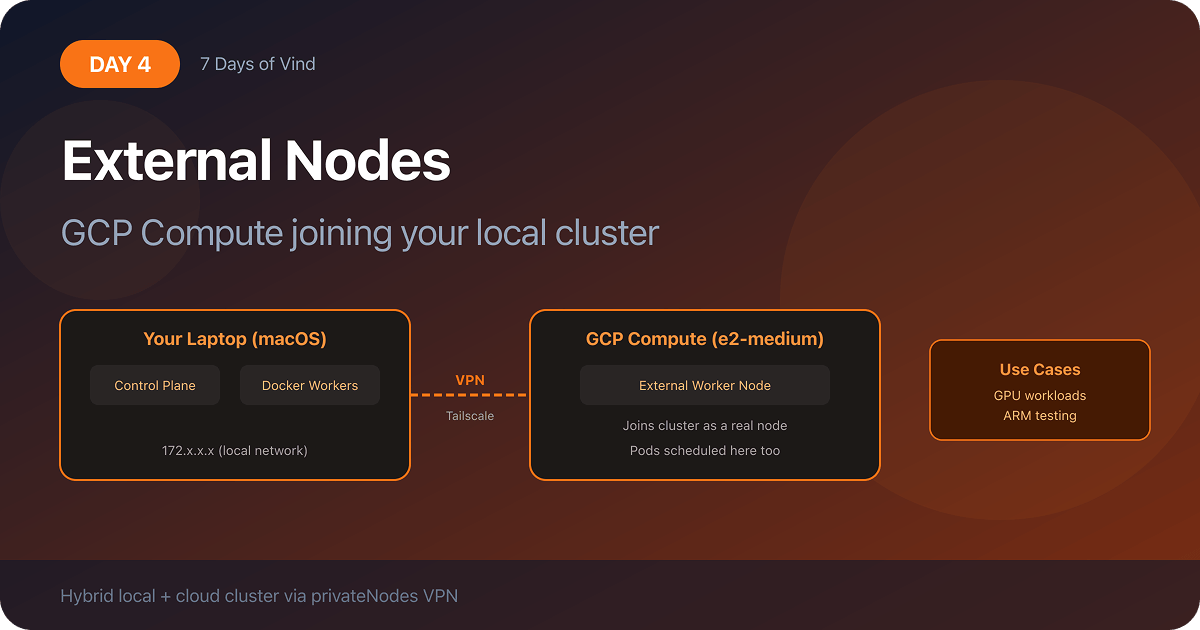
Join AWS, GCP, Azure, or any node via built-in Tailscale VPN, including GPU nodes
Platform UI
CLI only
CLI only
Complex workaround
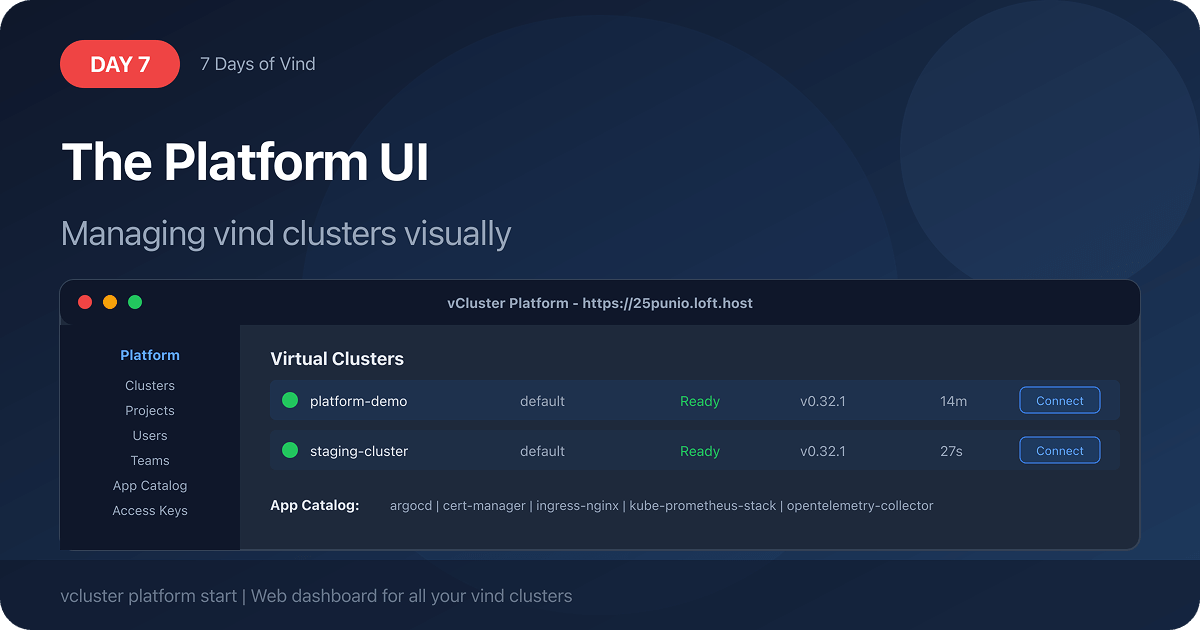
Free vCluster Platform UI: manage all clusters visually, accessible remotely
In-place upgrades
Recreate cluster
Recreate cluster
Limited
Upgrade K8s version, add nodes, change CNI. All in place, no state loss
Cluster snapshots
Not available
Not available
Not available
Save & restore as OCI artifact; share with your team (coming soon)
Auto cloud node provisioning
Not available
Not available
Not available
Karpenter-based auto nodes: spin up cloud nodes on demand, delete when done (free tier)
Feature Deep Dive

Everything you wished KinD had

vīnd isn’t just a drop-in replacement. It’s a step change in what local Kubernetes can do.

Pull-Through Image Cache

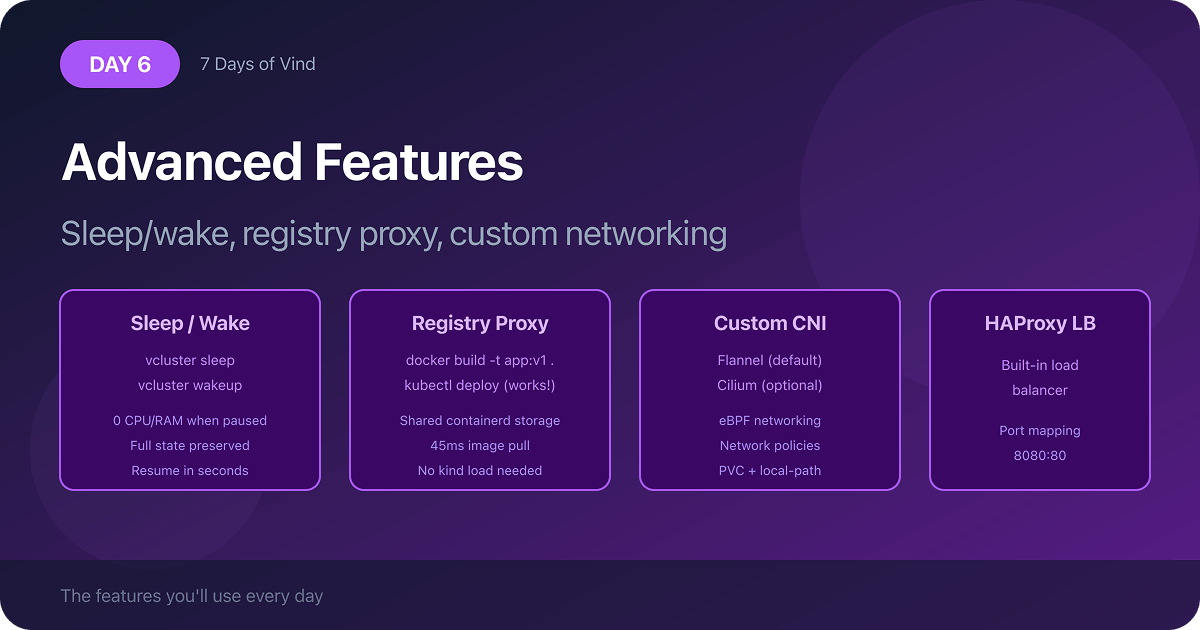
vīnd’s integrated cache means every image in your local Docker daemon is immediately available inside the cluster. Build locally, use instantly. No kind load ever again.

# KinD: $ kind load docker-image my-app:latest
$ kubectl run my-app --image=my-app:latest
 Pulled from local daemon instantly
Sleep & Wake Up

Working across multiple projects? Put any vīnd cluster to sleep and all containers stop consuming resources immediately. Wake up in seconds with full state intact. No waiting, no rebuilding.

$ vcluster sleep my-cluster
 Successfully paused vCluster my-cluster
$ vcluster wakeup my-cluster
 Successfully resumed vCluster my-cluster
Automatic Load Balancers

Deploy a service with type: LoadBalancer and get a real, locally accessible IP instantly. No MetalLB, no tunnels, no workarounds. Works on Mac and Linux out of the box.

spec:
type: LoadBalancer
 EXTERNAL-IP: 127.0.0.1 assigned
 curl http://127.0.0.1  200 OK
Hybrid Nodes via Built-in VPN

Join any cloud instance (AWS EC2, GCP, Azure VMs, or bare-metal GPU nodes) directly into your local vīnd cluster with a single token. Local laptop and cloud GPU in one cluster.

$ vcluster token create my-cluster
 Join token ready
# Run on any cloud instance:
$ bash <(curl join-token-url)
 EC2 node joined your cluster
Free Platform UI

Launch the vCluster Platform as a Docker container alongside vīnd and get a full web UI to manage all your clusters visually. Observe workloads, inspect nodes, and share access with teammates.

$ vcluster platform start
 Platform UI at https://...
 Free tier activated
# Manage everything from any browser
In-Place Upgrades

Change the Kubernetes version, add worker nodes, swap the CNI: just update your vcluster.yaml and run upgrade. No cluster deletion, no state loss, no reconfiguration from scratch.

$ vcluster create my-cluster \
--upgrade -f vcluster.yaml
 K8s upgraded to v1.31
 Worker node added
COMING SOON
Snapshot & Restore

Save your entire cluster, Deployments, PVCs, ConfigMaps, everything, into a single portable file or push to an OCI registry. Share it with your team. Restore on any machine in one command.

$ vcluster snapshot create my-cluster \
oci://ghcr.io/team/snapshots:ml-stack \
--driver docker
 Snapshot pushed to OCI registry
# Your teammate, any machine:
$ vcluster restore my-cluster \
oci://ghcr.io/team/snapshots:ml-stack \
--driver docker
 Full environment restored in seconds
Why Teams Switch

Built for the way developers actually work

vīnd removes the daily friction of local Kubernetes so your team can focus on building, not babysitting infrastructure.

0
Image imports to manage

The pull-through cache means every local Docker image is automatically available in your cluster the moment you need it.

<3s
Cluster wake up time

Sleep your cluster when switching tasks. Wake it up in under 3 seconds, full state intact, no rebuild required.

Nodes from any cloud

Join AWS, GCP, Azure, or on-prem nodes into your local cluster via the built-in VPN. Test GPU workloads without a full cloud setup.

Closer to production

Real load balancers mean your local environment matches production. What works locally actually works when deployed. Fewer surprises at ship time.

One cluster, whole team

Share your local vīnd cluster with teammates via the platform UI. No manual VPN setup, no kubectl context exports. They log in and they’re in.

100% open source

vīnd is part of the vCluster open source project. No license fees, no feature gates on core functionality, no vendor lock-in whatsoever.

“After switching to vīnd from minikube, it’s really a big help. It allows local images to pull directly from the Docker cache. In kind there’s always that extra step to pull the image into the environment. vīnd removes that hurdle completely from my workflow.”

Community developer, vCluster GitHub

Use Cases

Built for every Kubernetes workflow

From inner-loop development to production-like testing, vīnd adapts to how you and your team actually work.

Local Development
Inner-loop dev without the friction

Build an image, apply your manifest, see it running in seconds. No imports, no tunnels.

CI/CD Pipelines
Ephemeral Kubernetes in GitHub Actions

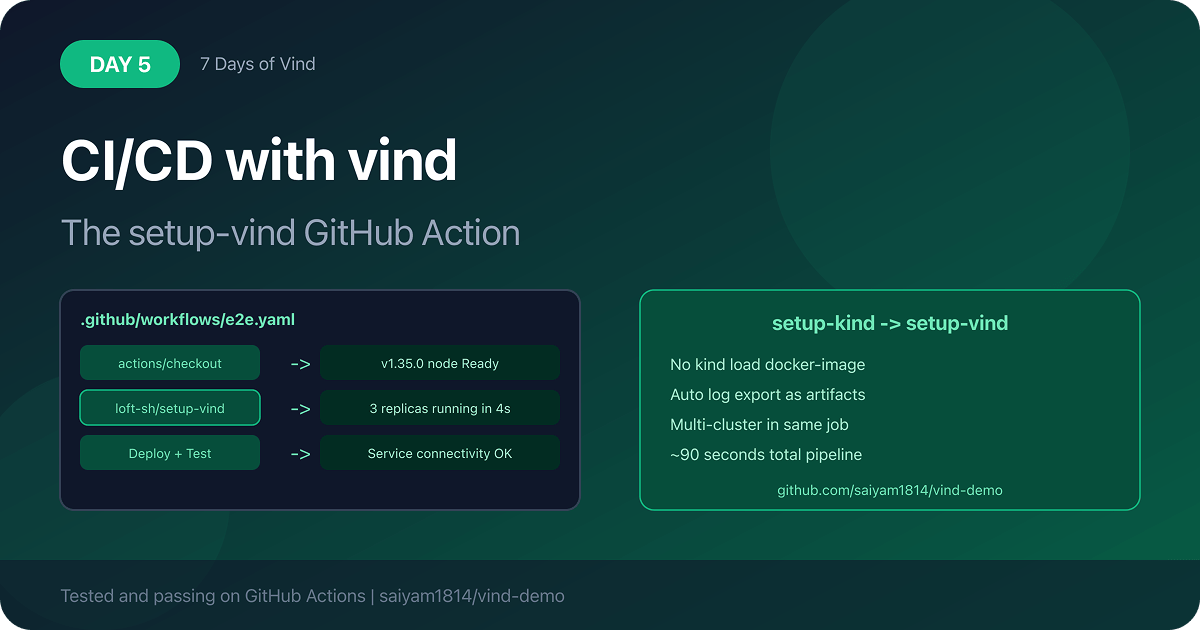
Spin up a real cluster in your pipeline, run integration tests, tear it down. No cloud costs, no flaky shared environments.

Platform Engineering
Manage multiple local clusters visually

Test platform configurations locally with the free UI before rolling out to production.

Sales & Demos
Reliable demos without cloud dependency

Create repeatable local environments that work offline, on conference Wi-Fi, or in the air. No cloud provisioning needed.

GPU Workloads
Test AI/ML workloads without a GPU cluster

Join a cloud GPU node into your local cluster. Run model training or test inference, then detach when done. No EKS setup needed.

Home Lab
Full-featured Kubernetes for experimenters

Run it on your home server, pause when idle, resume when needed. Full Platform UI, VPN, and auto nodes included free.

Get Started

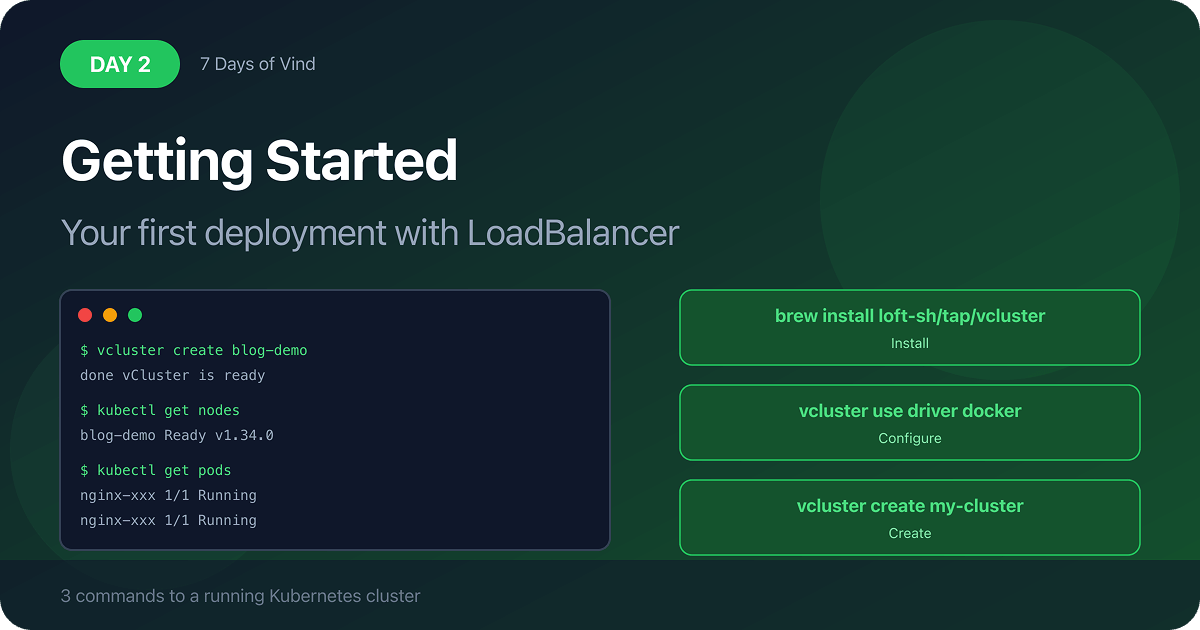
Up and running in 60 seconds

All you need is Docker and the vCluster CLI. No existing Kubernetes cluster required.

1
Install vCluster CLI

Available via Homebrew, direct download, or binary for Mac, Linux, and Windows.

2
Enable Docker driver

One command tells the CLI to use Docker instead of Kubernetes as the deployment target.

3
Create your cluster

Your cluster is ready. Kubeconfig is automatically configured. Start deploying.

bash

# Install vCluster CLI (Linux)
$ curl -L -o vcluster "https://github.com/loft-sh/vcluster/releases/latest/download/vcluster-linux-amd64"
$ chmod +x vcluster && sudo mv vcluster /usr/local/bin

# Or via Homebrew
$ brew install loft-sh/tap/vcluster

# Enable Docker driver (one-time setup)
$ vcluster use driver docker

# (Optional) Start the free Platform UI
$ vcluster platform start

# Create your first cluster
$ vcluster create my-cluster
 Cluster "my-cluster" ready
 kubeconfig updated, kubectl is ready
Open Source & Free
Ready to replace KinD with something better?

vīnd is completely open source, part of the vCluster project. No license, no credit card, no catch. Just better local Kubernetes, starting today.

Works on Mac and Linux. Windows support is available but LoadBalancer services are not yet supported on Windows.